VIDEO GAMES

Ages : 7-12
Roblox is a free to download game multiplayer online game. It allows users to create their own virtual world. It has quickly grown into a popular game due to its accessibility.

Ages: 7 and up
Minecraft is an online computer game where players create their own virtual world in an open-ended game. There is no right or wrong way to play.

Ages: 3 and up
Rocket League is a soccer game, but for cars! Kids can play this competitive multiplayer game that features a new spin on a fun sport. This game would be purchased and installed on the children’s PC’s.
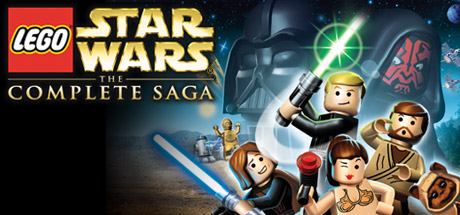
The Lego Star Wars saga features your favorite Star Wars scenes and characters in Lego form! This game would be purchased and installed on the children’s PC’s.
EDUCATIONAL SOFTWARE
Scratch
Ages 5 and up
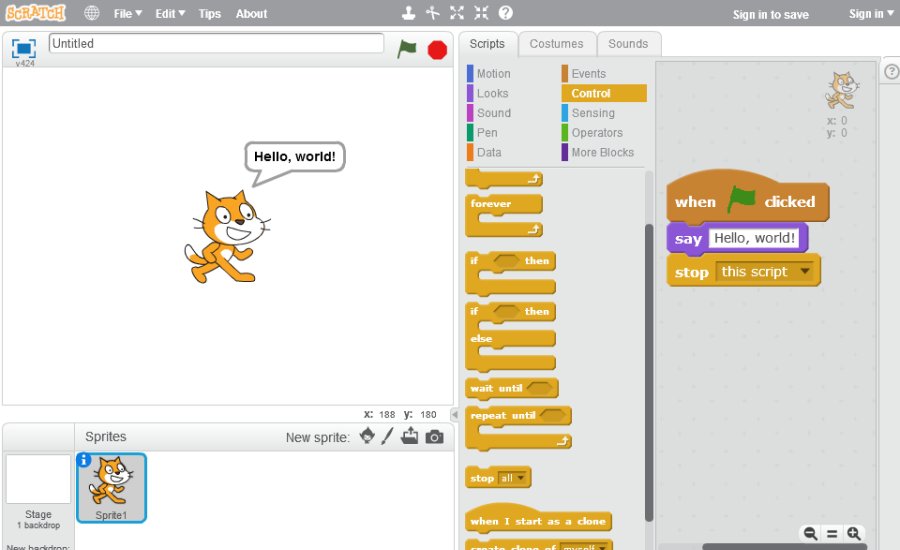
Scratch is a free programing language software for kids and beginner coders. It helps users learn how to create animations and games using visual programming language. This program is an essential addition to any library or library PC.
ABC Mouse

Ages 2 and up
ABC mouse is a program that contains educational games, books, puzzles and songs. It helps kids in multiple school subjects such as math, reading, phonics, social studies, art, music, and more. ABC mouse free use of the website at any local library. This program should be installed on every Children’s PC at the library.

Ages 8 and up
Another necessary program that should be installed on every computer is Microsoft office. Children and tweens still need access to programs such as word and powerpoint to do projects for school.

Ages 8 and up
Quizlet is a free online website that creates learning tools and flashcards. As children begin getting more tests and study materials, they need resources to help them study. Using Quizlet is a innovative and fun way to study.
YOUTUBE CHANNELS

Ages 2 and up
YouTube has its own kids app that allows parents to easily set up parental controls. This can be dowloaded and utilized on library iPads or suggested to parents to install on their personal iPads.

Ages 10 and up
Minute Physics is an educational YouTube channel that was created by Henry Reich. It features short videos, using whiteboard animation, about physics and science related topics.

Ages 10 and up
TED talks are a series of inspirational videos that feature guest speakers on a multitude of subjects. These talks are commonly used in educational settings for all ages. Tweens may find the content interesting and applicable to their classes. They may also find the messages of some of the video inspirational and useful in their life.

Ages 5 and up
Baby Einstein’s YouTube channel features videos on songs, music, baby milestones, and early development. This is a good channel to feature because it provides content to younger children and info for parents.

Ages 10 and up
Epipheo’s YouTube Channel creates funny and educational videos about politics, life, science, and technology. Their slogan is “monthly epiphanies through video.

Ages 10 and up
Crash Course was created by Hank and John Green. It features short educational videos on a multitude of subjects in fun ways. Their videos are used in real world classrooms and has the first two seasons of the show available on DVD.
WEB SHORTCUTS

All ages
Google is a search engine to find information.

All ages
There should be a link to the library’s catalog so that users can search fora availability, check their account, or see new books.

Ages 8 and up
Google scholar is a search engine where users can search for scholarly articles and information. Most commonly used when researching for a project.

Ages 5 and up
Accelerated Reader is a website where students and parents can look up the assigned AR points of a book. Users can search by title, ISBN, author, or reading level.

Ages 8 and up
A search engine that is designed to compute answers based on search criteria entered. Such as math and science.

Ages 4 and up
PBS kids is a website where they can play games and do educational activities.

Ages 8 and up
Duolingo is a website and app that teaches users how to speak another language.

All ages
Google Earth is a google owned computer program that creates a 3D rendering of the Earth based on satellite imagery.

Ages 8 and up
The NASA website provides information on the latest developments and educational resources on space.

Ages 6 and up
Discovery kids has fun and educational games. Available in Spanish.

Ages 6 and up
Contains fun and cool videos, games, animals, and more. Also provides links to all of their affiliate activities and articles.

Ages 6 and up
Jump Start is a computer program that has reading, math, and science games for kids to play.

The Khan Academy is a non profit organization that provides educational resources, tools to empower teachers, and methods for learning.

Ages 8 and up
The Smithsonian Learning Lab contains a multitude of resources and collections that provide methods of teaching and learning for its users.

Ages 6 and up
Disney provides access to games, videos, and activities for users on its website.

Ages 10 and up
Spotify is a music streaming service where users can stream music to their device. Free accounts are available with occasional adds.
 BIG BLOG ASSIGNMENT